
Documentation v1.8.3
Your sky, planned and remembered.
MyAstroBoard is a self-hosted astronomy dashboard: it tells you whether tonight is worth setting up, which targets suit your sky and your gear, and keeps a logbook of everything you image. Your data stays on your server.
I want to...
What it looks like
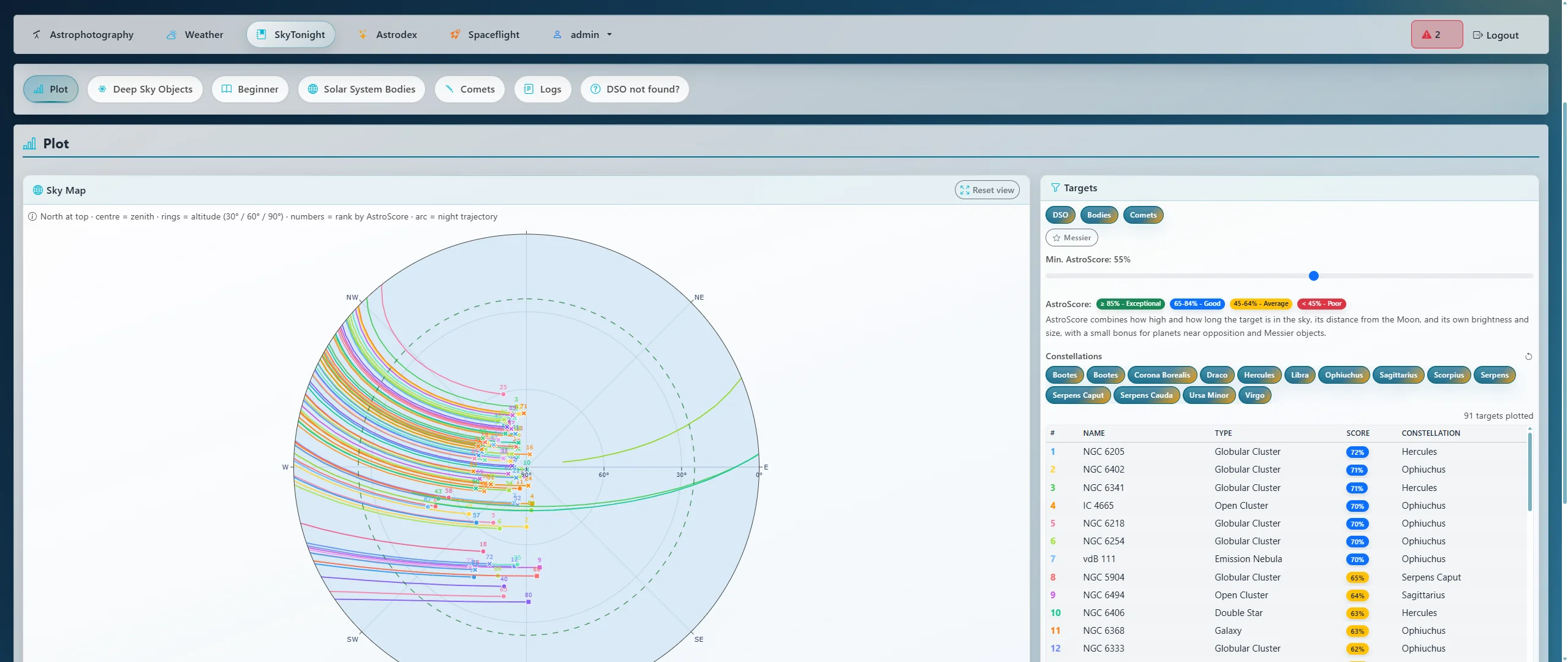
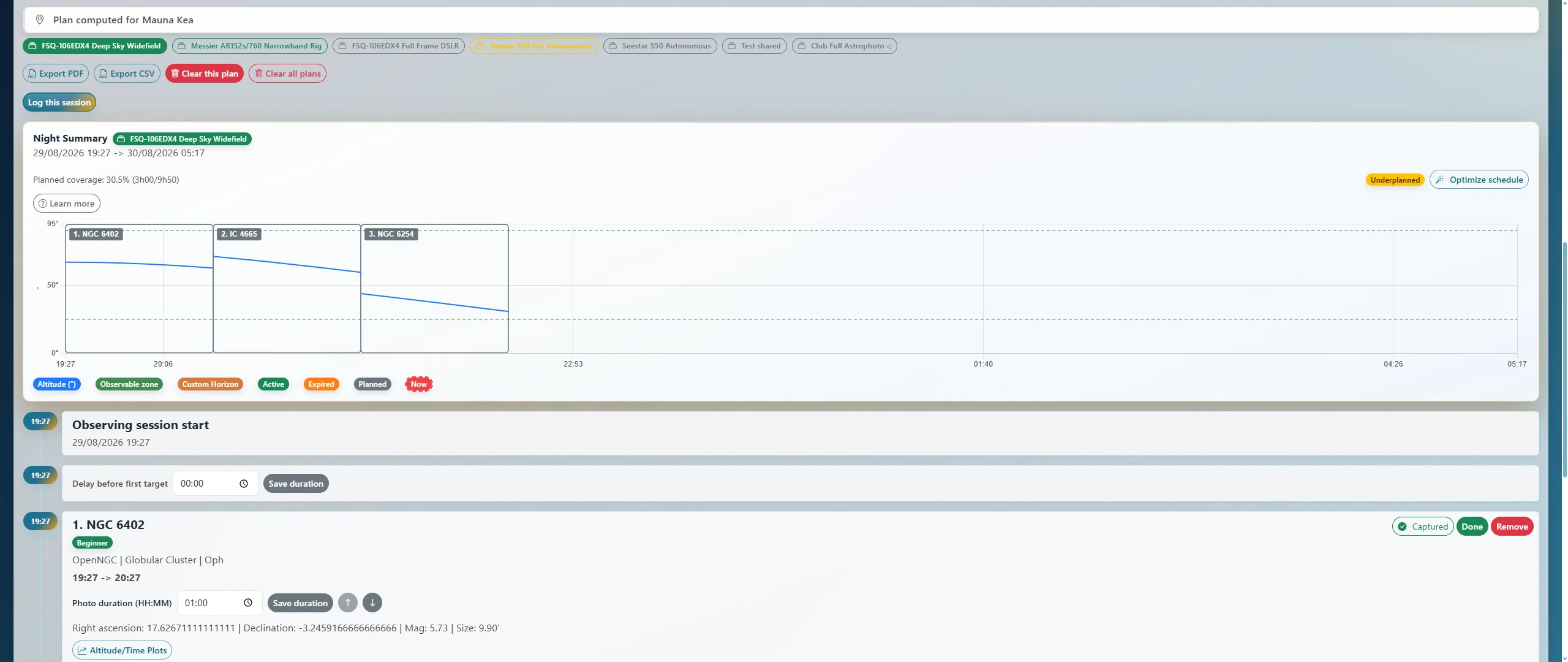
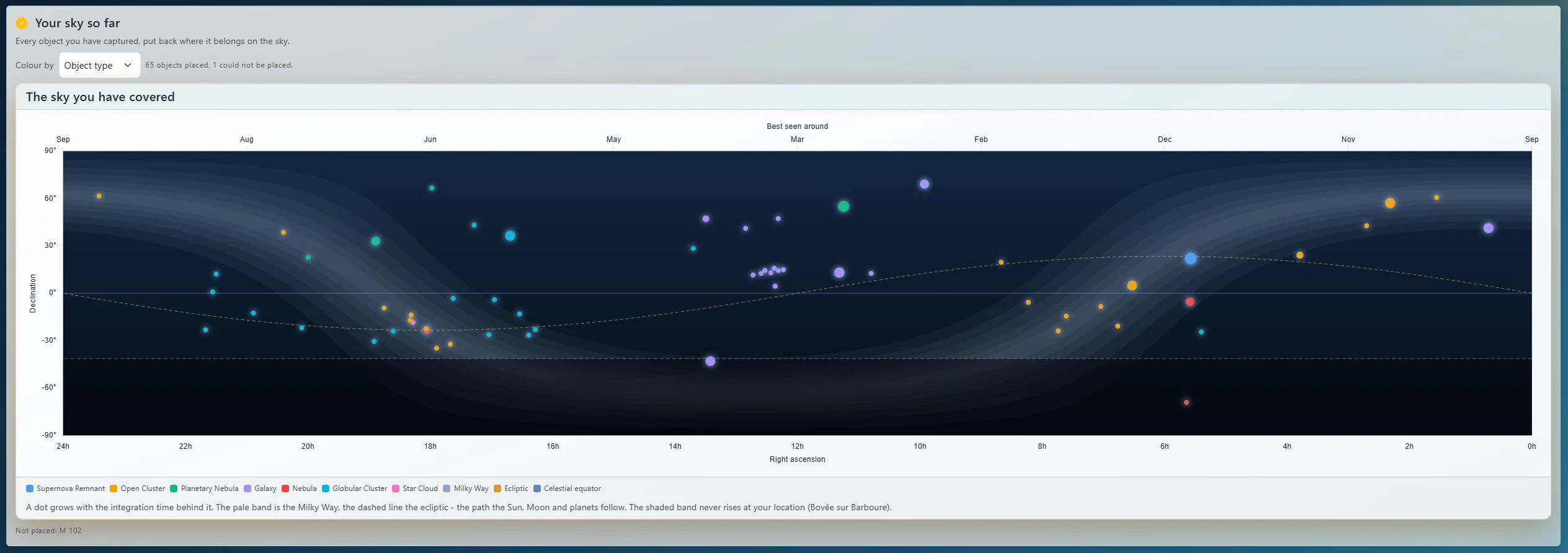
All pages
Note
Some parts of the documentation may be generated with AI.
Why? Documentation is one of the least exciting tasks, but one of the most important.
The pages are grouped by who reads them: using MyAstroBoard, running an instance, and contributing to the code. Not sure where a screen is documented? See Where is it? below.
Using MyAstroBoard
Getting started
- Quick Start - from a fresh install to your first night plan
- Visual Tour - every tab, with screenshots
- Beginner Experience - setup wizard, difficulty ratings, “Tonight for you”, Beginner Catalog
- Glossary - AstroScore, airmass, Bortle, seeing and the other terms on screen
- My settings - theme, startup tab, locations, notifications, password and 2FA, your data
- Phones and tablets - install the app, offline page, push notifications
Tonight
- Astrophotography tab - best imaging window, Moon, Sun, aurora, events calendar
- Weather - Open-Meteo forecast, 7Timer seeing, astro-analysis, alerts
- SkyTonight - targets, AstroScore, catalogues, visibility calendar, framing simulator
- Spaceflight - launches, astronauts, ISS and CSS passes and transits
Planning and logging
- Plan My Night - the night’s timeline, optimizer, exports
- Observation Log - one record per night, what you shot and in which conditions
- Astrodex - your collection of imaged objects, pictures, Photo Map, Catalogue Collection
- Your Sky and Wishlist - progress, sky coverage, best months, what to image next
- Share Cards - ready-to-post images of a picture, a session, tonight’s sky or an event
Equipment
- Equipment - telescopes, cameras, mounts, filters, combinations, FOV, sharing
- Exposure Calculator - sub-exposure length, sky background, integration time
Observatory and integrations
- Observatory - live AllSky image, keogram, timelapse, sensor data
- Home Assistant - sky conditions, targets, events and your activity as Home Assistant devices
- Astrodex Stream - your Astrodex as a Home Assistant camera
- MyAstroShine - send a picture out for re-processing, get the result back
Running an instance
- Installation - Docker, Home Assistant app, system requirements
- Updating - update notice, update, back up, roll back
- Reverse Proxy & HTTPS - NGINX Proxy Manager, Traefik, secure cookies
- Troubleshooting - common problems and how to report one
- Configuration - the App settings tab: constraints, application settings, backup, logs, metrics
- Locations - up to five location presets, attribution, per-user active location
- Users and authentication - roles, sessions, trusted networks, two-factor authentication
- Connectors - AllSky, MQTT, MyAstroShine and Astrodex Stream setup
- Notifications - browser and Web Push notifications (triggers N1-N9, VAPID, iOS)
- Database - SQLite storage, upgrade from 1.6, recovery command line
- Privacy & GDPR - personal data inventory, third parties, retention, user rights
- Demo Mode - a public, read-only demo instance
- Security policy - security model, reporting a vulnerability
Contributing
- Contributing guide - setup, style, tests, pull requests
- Organization - architecture, source tree, runtime data
- Extending MyAstroBoard - extension points and the no-new-dependency-cycles rule
- API Endpoints - every HTTP route
- Cache System - background cache, per-job TTLs, per-location slots, map tiles
- Translations - adding or improving a language
- Release Guide - publishing a version
- Changelog - released and unreleased changes
Where is it?
| Tab | Sub-tab | Page |
|---|---|---|
| Astrophotography | Astrophotography, Best window, Moon, Sun, Aurora Borealis, Events Calendar | ASTROPHOTOGRAPHY.md |
| Weather | Weather, Seeing Forecast, Observation Conditions | WEATHER.md |
| SkyTonight | Plot, Deep Sky Objects, Solar System Bodies, Comets, Logs, DSO not found? | SKYTONIGHT.md |
| SkyTonight | Beginner | BEGINNER_EXPERIENCE.md |
| Astrodex | Astrodex, Photo Map, Catalogue Collection | ASTRODEX.md |
| Astrodex | Plan my night | PLAN_MY_NIGHT.md |
| Astrodex | Observation Log | OBSERVATION_LOG.md |
| Astrodex | Your Sky, Wishlist | SESSION_ANALYTICS.md |
| Spaceflight | Launches, Astronauts, Space Events, Orbital Stations | SPACEFLIGHT.md |
| Observatory | (appears with a connector) | OBSERVATORY.md |
| Equipment | Combinations, FOV Calculator, Telescopes, Cameras, Mounts, Filters, Accessories | EQUIPMENT.md |
| Equipment | Exposure Calc | EXPOSURE_CALC.md |
| My settings | Customize, Location, Notifications, Security | USER_SETTINGS.md |
| App settings | Locations | LOCATIONS.md |
| App settings | Configuration, Logs, Metrics, Backup / Restore | CONFIGURATION.md |
| App settings | Connectors | CONNECTORS.md |
| App settings | Users | AUTHENTICATION.md |
| Header | Sky status widget, location switcher | LOCATIONS.md |
| Footer | Update notice, What’s new | 3.UPDATE.md |
| Several | Framing simulator | SKYTONIGHT.md |
| Several | Share cards | SHARE_CARDS.md |
Quick links
- Install:
docker compose up -d, then open http://localhost:5000 - Default credentials:
admin/admin(change them at once) - Update:
docker compose pull && docker compose up -d - Source code: https://github.com/myastroboard/myastroboard
- Report an issue: https://github.com/myastroboard/myastroboard/issues
License
MyAstroBoard is open source software licensed under the AGPL-3.0 License. Copyright (C) 2025-2026 WorldOfGZ and contributors.
In accordance with AGPL-3.0 requirements for network use, the corresponding source code for deployed versions is available in this repository: https://github.com/myastroboard/myastroboard